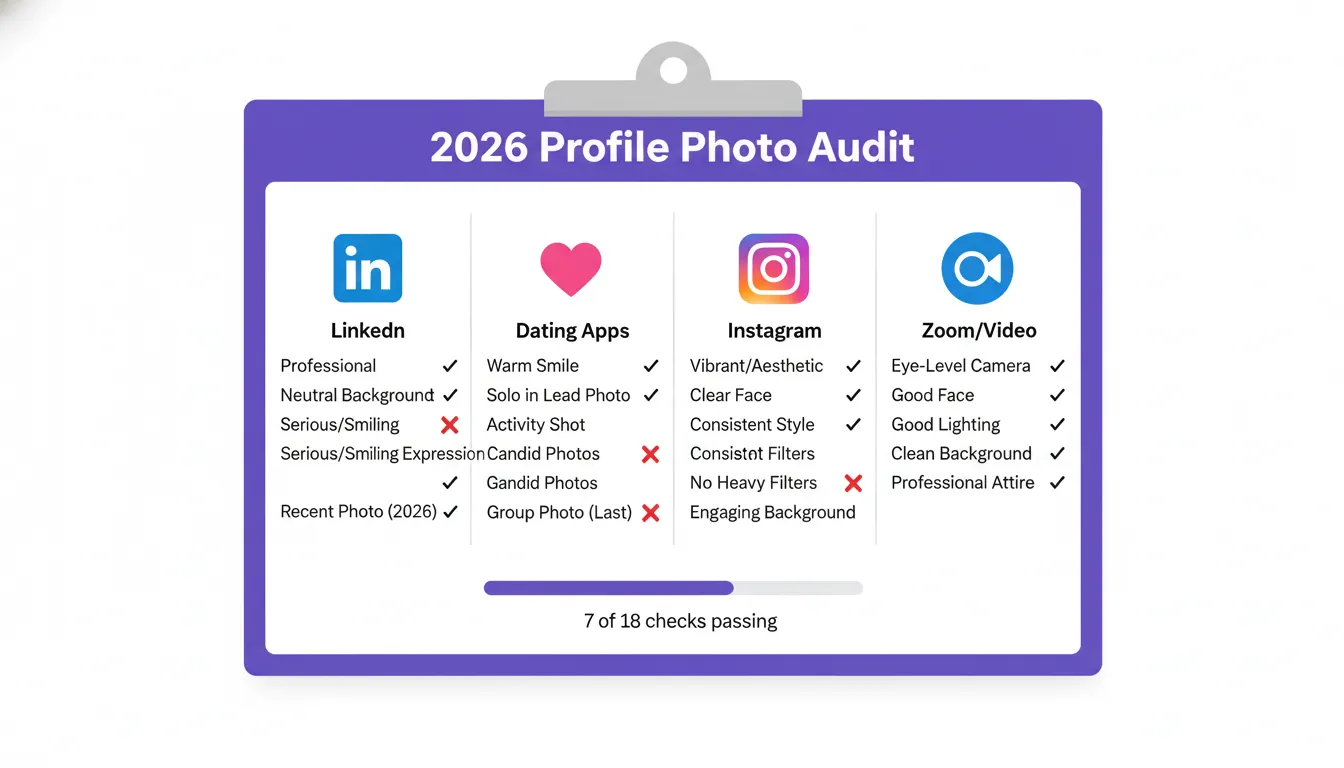
Most people set their profile photos once and forget them for years. This is costly. A photo that was accurate 3 years ago now creates a trust gap every time someone meets you in person. A photo that performed well when you first uploaded it may have been outpaced by improved competition as platforms evolve. And a photo you chose quickly without objective evaluation may have been the wrong choice from day one.
This checklist covers every platform in 10 minutes. For each check, you need only your phone and your current profile photos. At the end, you will know precisely which platforms need immediate attention and which are in good shape.
Passport Photo Online research found that most people have had a meeting with someone who looked noticeably different from their profile photo. A stale or mismatched photo is not just a cosmetic issue — it creates a trust deficit at the first real-world encounter that is difficult to recover from.
The Universal Photo Quality Check (Run First for All Platforms)
Before the platform-specific checks, run this universal quality assessment on your current photos on each platform:
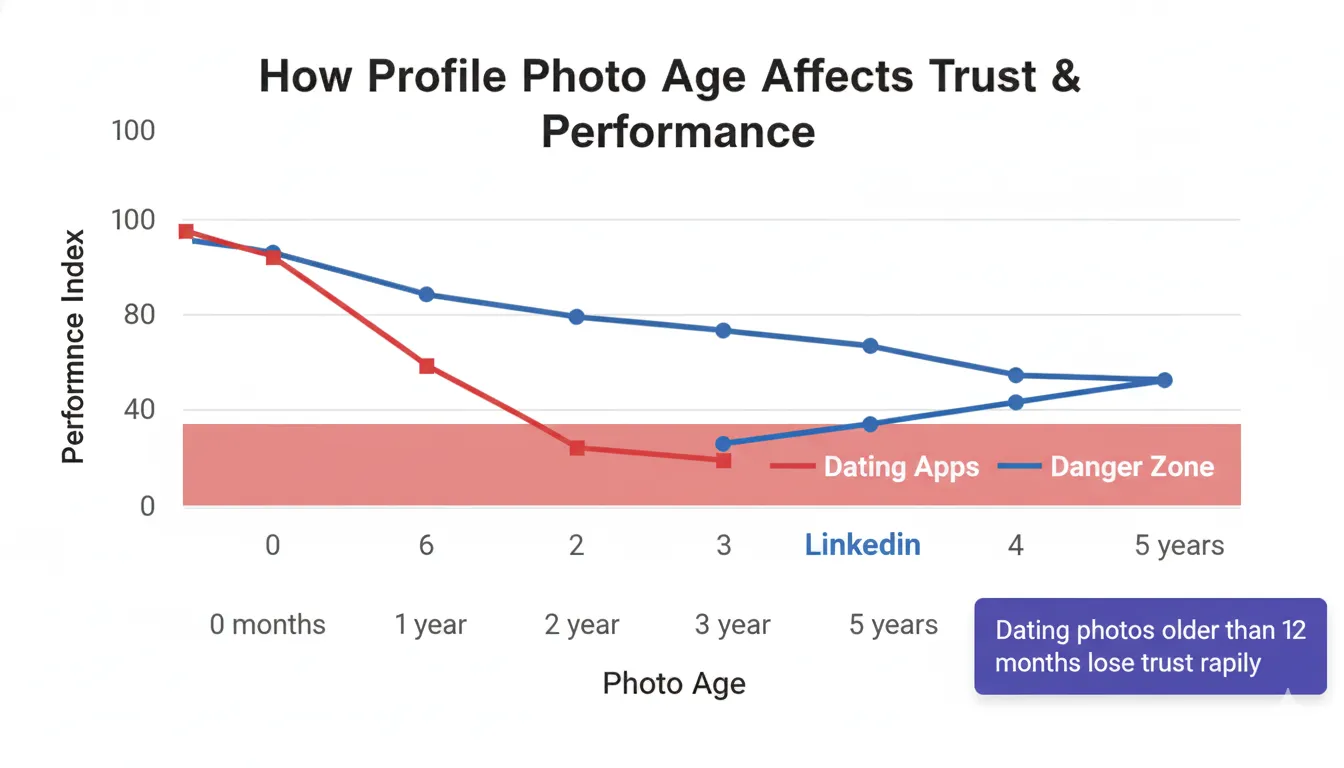
Age check: Was this photo taken in the last 12 months (dating apps) or the last 3 years (professional platforms)? If no, flag it immediately.
Appearance match: Does this photo accurately represent how you look right now? Significant hairstyle change, weight change, or major new aesthetic shift all warrant an update.
Thumbnail readability: Shrink the photo to 100×100px on your screen. Is your face clearly identifiable and expressing a readable emotion? If your face is a small element in a wide scene, the thumbnail is failing.
Expression quality: Is the expression genuine and warm — or serious, forced, or uncomfortable? This is the most common weak point in our data: across 347 dating-goal submissions, Facial Expression & Warmth was the lowest-scoring of the five criteria in 24.8% of photos, one of the two most common weak points — Background & Context and Facial Expression & Warmth are effectively tied.
Background quality: Is the background clean and non-distracting? A single visible clutter element reduces photo scores significantly at the sizes platforms display profile images.
LinkedIn Photo Checklist
Open your LinkedIn profile and assess your photo against each of these points:
☐ Photo age: Was it taken within the last 3 years? LinkedIn profile photos over 3 years old create trust gaps in video calls and in-person meetings.
☐ Face fills 50%+ of the frame: At LinkedIn's circular 400px display size, a photo where your face is small becomes unreadable. Zoom in on your phone — is your face clearly dominant?
☐ Professional or smart-casual attire: Visible clothing should be appropriate for your industry. Casual wear in a very conservative field, or overly formal wear in a startup context, both create subtle mismatches.
☐ Background is clean and neutral: No cluttered office visible, no patterned wall, no window behind you creating a backlit silhouette.
☐ Expression is composed and warm: For LinkedIn, a confident slight smile or composed expression reads best. Full open grins can read as too casual for senior roles in some industries.
☐ Lighting is even and professional: No harsh shadows under eyes or nose. No blown-out highlights on forehead. Soft, even light from front or slightly to the side.
Dating App Photo Checklist
Open your dating app profile and assess your current photo lineup:
☐ Lead photo age: Was it taken within the last 6–12 months? Dating profiles with stale lead photos create first-date disappointment that is now well-documented in platform data.
☐ Lead photo is a clear headshot with genuine smile: Not a group photo, not a sunglasses shot, not a wide landscape photo where you are a small figure.
☐ At least one full-body photo: In slot 2 or 3, not the lead. Profiles without full-body shots attract matches who are surprised by your appearance — lower quality outcomes overall.
☐ At least one lifestyle/activity photo: Something that communicates personality and provides a conversation hook. People need something to open with on Bumble, Hinge, and OkCupid.
☐ Eyes visible in at least 3 photos: No sunglasses in every photo. Eyes are the primary trust signal in dating contexts.
☐ No bathroom selfies, car selfies, or gym mirror selfies as lead: all three read as low-effort, and they cost points under Background & Context — the lowest-scoring criterion in our data (52.4 / 100 across 347 dating-goal submissions).
☐ No heavy face filters: Skin-smoothing and face-altering filters create appearance gaps that damage trust on first meetings.
Instagram Profile Photo Checklist
Open your Instagram profile and assess your circular profile photo:
☐ Face is centred in the circular crop: Instagram displays your photo as a circle. Content in the corners is hidden. Check that your face is centred with appropriate breathing room on all sides.
☐ Face fills at least 50% of the circle: At 110px display size, a photo where your face is small becomes indistinct. You should be clearly recognisable even at thumbnail size.
☐ Warm or vibrant lighting: warm, even light keeps your face readable at 110px, where a cool or artificially lit photo flattens out and loses definition. Lighting is also the criterion people most often get right — across 347 dating-goal submissions, Lighting & Facial Clarity averaged 61.6 / 100, the highest of the five.
☐ No heavy vintage or desaturating filters: Filters that reduce color vibrancy disappear into the feed at 110px and make your profile photo indistinct from surrounding content.
☐ Consistent with your feed aesthetic: Your profile photo is the visual introduction to your feed. It should feel like it belongs in the same visual world as your posts.
Zoom / Teams / Professional Video Platform Checklist
Open your Zoom or Teams settings and check your profile photo:
☐ This is not a screenshot from a call: Many people use an accidental screenshot from a video call as their Zoom profile photo. The resolution and composition are almost always poor.
☐ Professional attire visible: Your Zoom profile photo appears in your calendar invites, chat messages, and before you turn on your camera. It sets a professional expectation before the call begins.
☐ Good lighting and clean background: The same criteria as LinkedIn — soft, even light and a clean or blurred background.
☐ Consistent with your LinkedIn photo: If someone googles you or checks your LinkedIn immediately before a call, a dramatically different photo creates a small but measurable trust friction.
After the Audit: What to Do Next
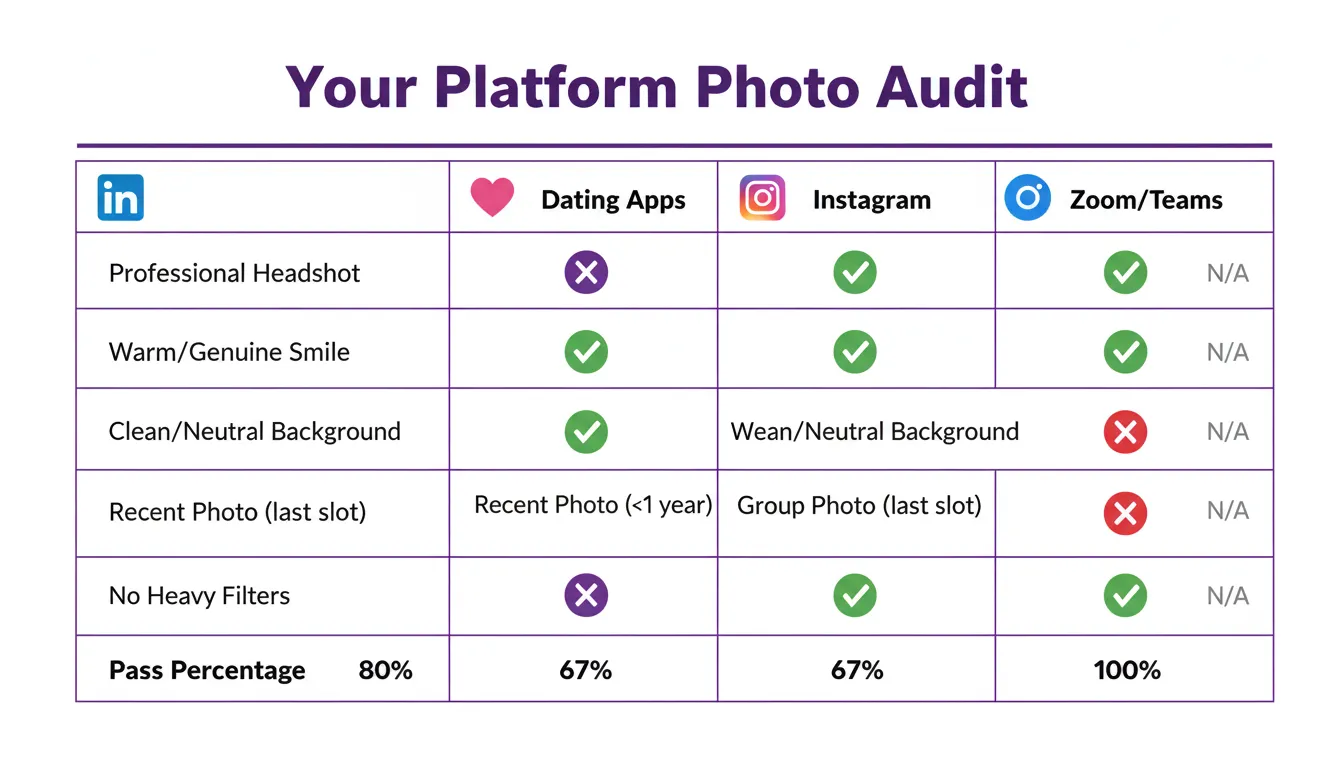
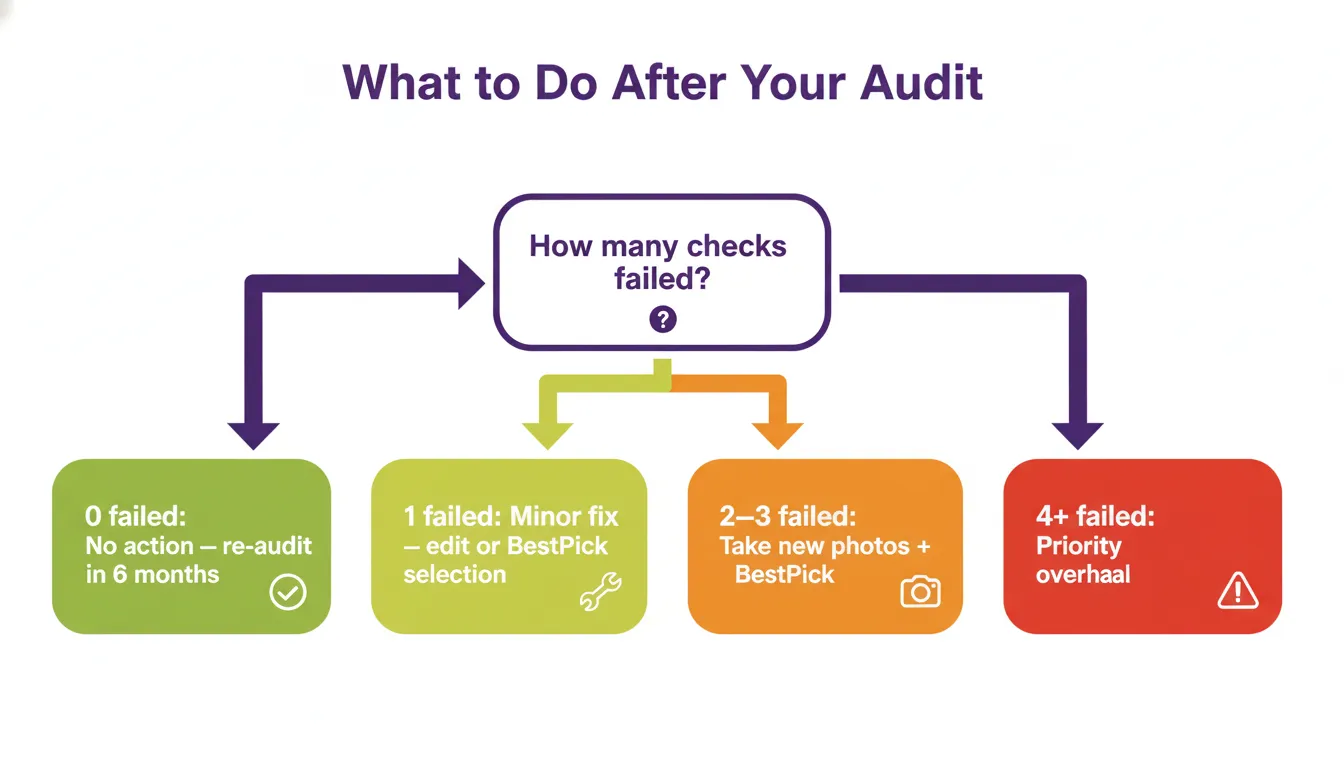
For any platform where you failed 2 or more checklist items, treat it as a priority update. The platforms where profile photos have the highest impact on real outcomes (dating apps and LinkedIn) should be addressed first.
If you need new photos, use the DIY approach from our home photography guide — 30 minutes with a phone and a window can produce photos that pass every item on this checklist. If you already have recent photos but are unsure which to use, upload your candidates to BestPick and get an objective AI recommendation for each platform goal.
Frequently Asked Questions
Know Which Photos Pass. Fix the Ones That Don't.
Upload your current profile photo candidates to BestPick, select your platform, and get a complete AI audit with specific scores for every dimension — in under 10 seconds, completely free.
Audit My Profile Photos Free →