
A professional profile photo is one of the highest-return changes you can make to your LinkedIn presence. It is the first thing a recruiter sees, and it sets the tone for everything they read next.
Yet most people on LinkedIn are using a photo they took on their phone three years ago, or a slightly cropped group shot from a conference, or worse — nothing at all. This guide covers exactly what makes a LinkedIn photo work in 2026, including what recruiters and hiring managers actually look at, and how to pick the best photo you already own before spending anything on a photographer.
A clear, professional headshot signals competence and approachability before a recruiter reads a single line of your profile. BestPick scores your photo against a published rubric — it does not claim to predict views or messages.
What Recruiters Actually Look At in Your LinkedIn Photo
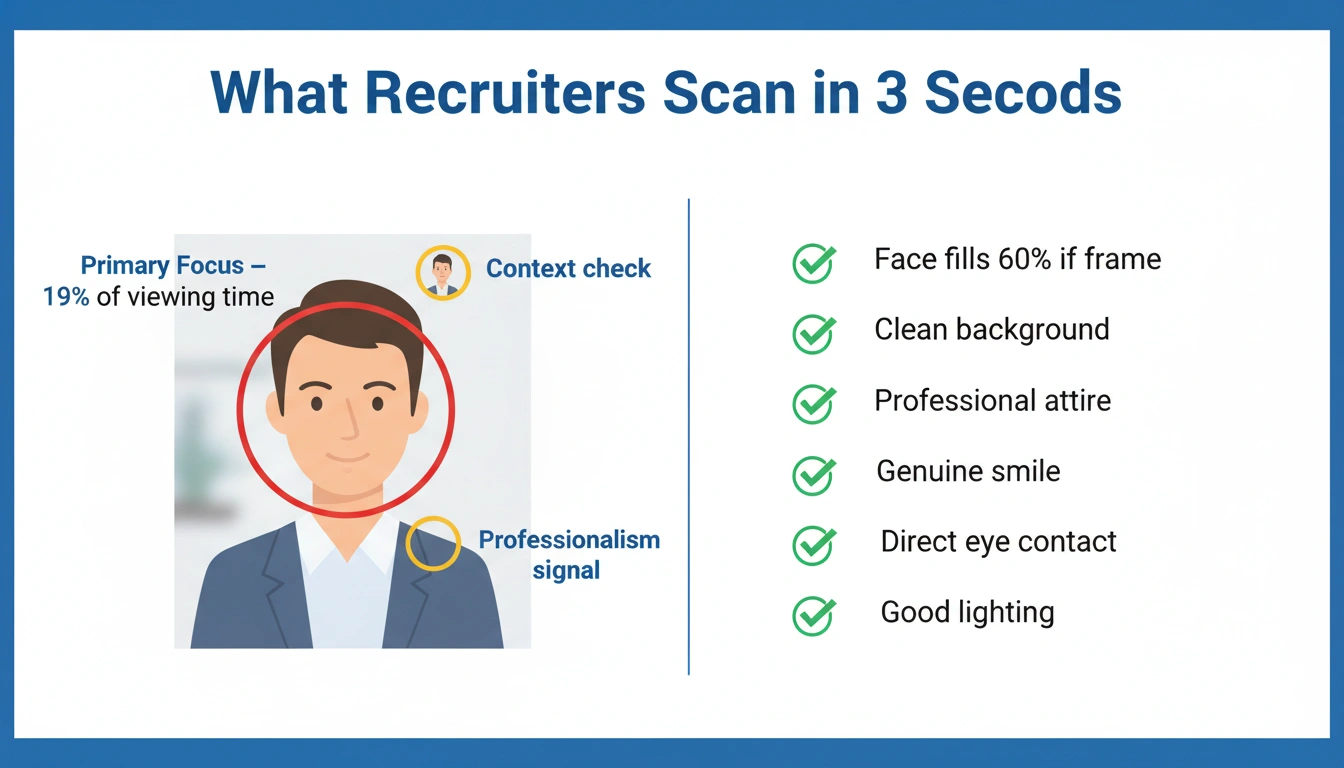
Eye-tracking studies of recruiter behavior point to the same pattern: the profile photo is one of the first elements a recruiter looks at, and it shapes the impression they carry into the rest of the profile.
What recruiters and hiring managers consciously look for, according to surveys: approachability (do you seem like someone who would be easy to work with?), professionalism (does your presentation match the role?), and authenticity (does this look like a real person or a stock photo?). What they unconsciously process: eye contact direction, smile type, background complexity, and perceived confidence in posture.
The Technical Requirements: Size, Format, and Framing
LinkedIn requires a photo between 400 x 400 and 7680 x 4320 pixels, with a maximum file size of 8MB. The photo is displayed as a circle — meaning any content in the corners is hidden. Keep your face centered, and leave breathing room on all sides. A head-and-shoulders framing (face filling roughly 60% of the frame) is the standard that consistently performs best.
For file format, upload a JPEG or PNG. Avoid highly compressed files — compression artifacts are more visible at the small display size LinkedIn uses in feed and search contexts. If you are shooting on an iPhone, shoot in ProRAW or HEIC and export as a high-quality JPEG for upload.
Background: The Element Most People Get Wrong
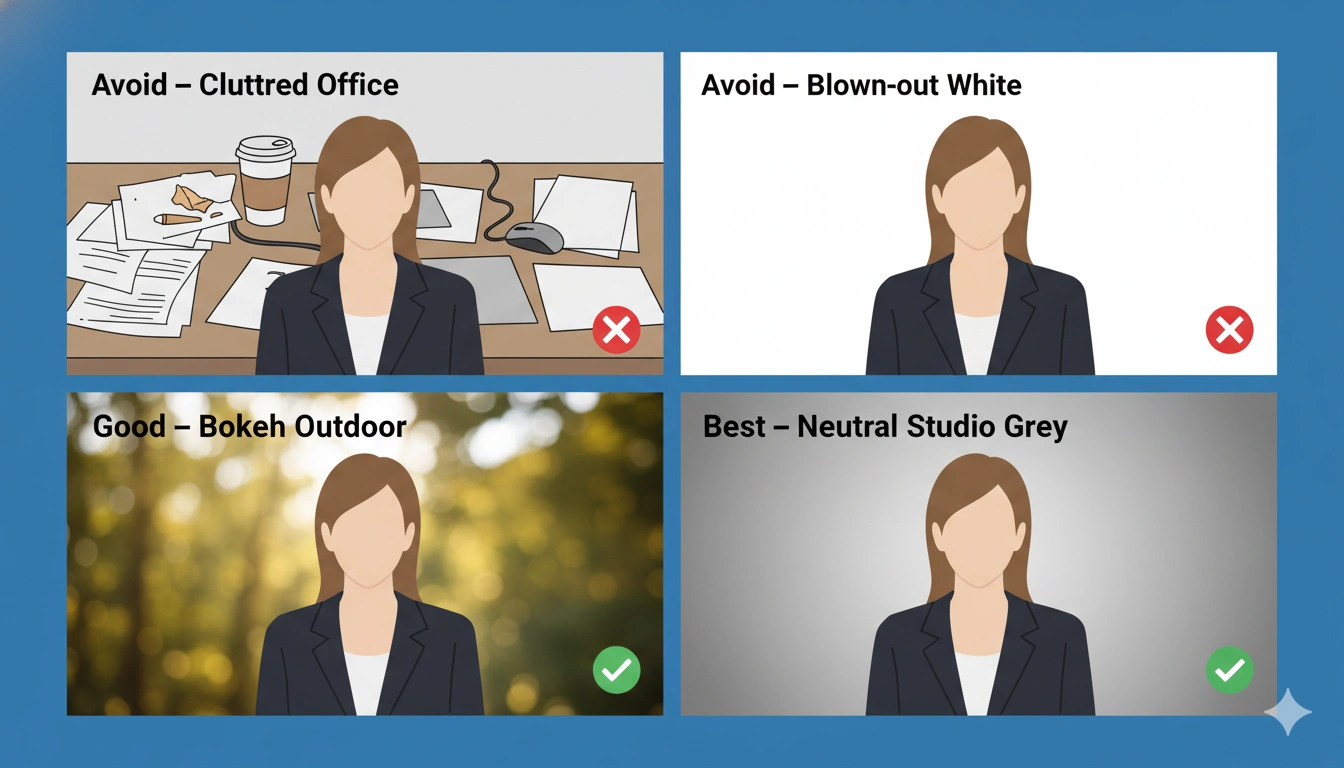
The background of your LinkedIn photo is not neutral — it actively communicates information. A cluttered, busy background competes with your face for attention and reduces perceived professionalism. An overly sterile white background can look like an ID card.
The three backgrounds that consistently perform well are:
Soft blur (bokeh) outdoors. A naturally blurred outdoor background — trees, buildings, sky — creates depth, adds warmth, and focuses all attention on your face. Achievable with any modern smartphone in Portrait mode.
Clean neutral interior. A plain office wall, a softly lit corridor, or a clean wall in a neutral color (grey, beige, soft green) works well. Avoid patterned wallpaper, busy bookshelves, or anything with visible text or logos.
Solid color studio backdrop. If you are going the professional photographer route, a medium grey or dark navy studio backdrop is industry-standard for business headshots and reads as polished across all industries.
Lighting: How to Look Professional Without a Studio
Lighting is the variable that most separates a mediocre photo from a professional one, and it costs nothing to get right. Here is the single most effective technique for a great LinkedIn photo without any equipment:
The Window Light Setup. Stand or sit facing a large window with indirect natural light (not direct sunlight, which creates harsh shadows). Have the light source directly in front of you or slightly to one side (45-degree angle). This produces soft, even, flattering light that mimics the expensive softbox setups used in professional studios. Take the photo using your phone's Portrait mode with someone else holding the camera, or use a tripod and the 3-second timer.
What to avoid: overhead office lighting (creates unflattering shadows under eyes and nose), direct flash (flattens all facial features), and shooting with a bright window behind you (creates silhouette effect).
The Expression That Works Best for LinkedIn
Unlike dating apps — where a warm, open smile is almost universally optimal — the ideal LinkedIn expression depends on your industry and role. Research on professional photos shows that the expression should signal both competence and warmth, and the balance shifts by field:
Client-facing roles, sales, HR, marketing: A full, warm smile. Approachability is the primary signal you need to send.
Legal, finance, executive leadership: A composed, confident "slight smile" — not a full grin, but not a stern expression either. The goal is to communicate authority without appearing cold.
Creative fields, tech, startups: More flexibility. A genuine, relaxed expression with a casual smile reads well. The industry expects authenticity over formality.
Should You Use an AI Headshot Generator for LinkedIn?
AI headshot generators have become a genuine option in 2026. Tools like HeadshotPro, Aragon AI, and PhotoPacks.AI can produce professional-looking results from uploaded selfies, typically at a cost of $20–$40 versus $200–$500 for a professional photographer session.
The tradeoff is identity preservation. Most AI headshot generators optimize for a "good-looking professional photo" rather than a photo that looks specifically like you. The most common complaint across review platforms is: "it looks professional, but it doesn't look like me." When recruiters who know what you look like view your LinkedIn profile, a photo that drifts noticeably from your real appearance creates a credibility problem.
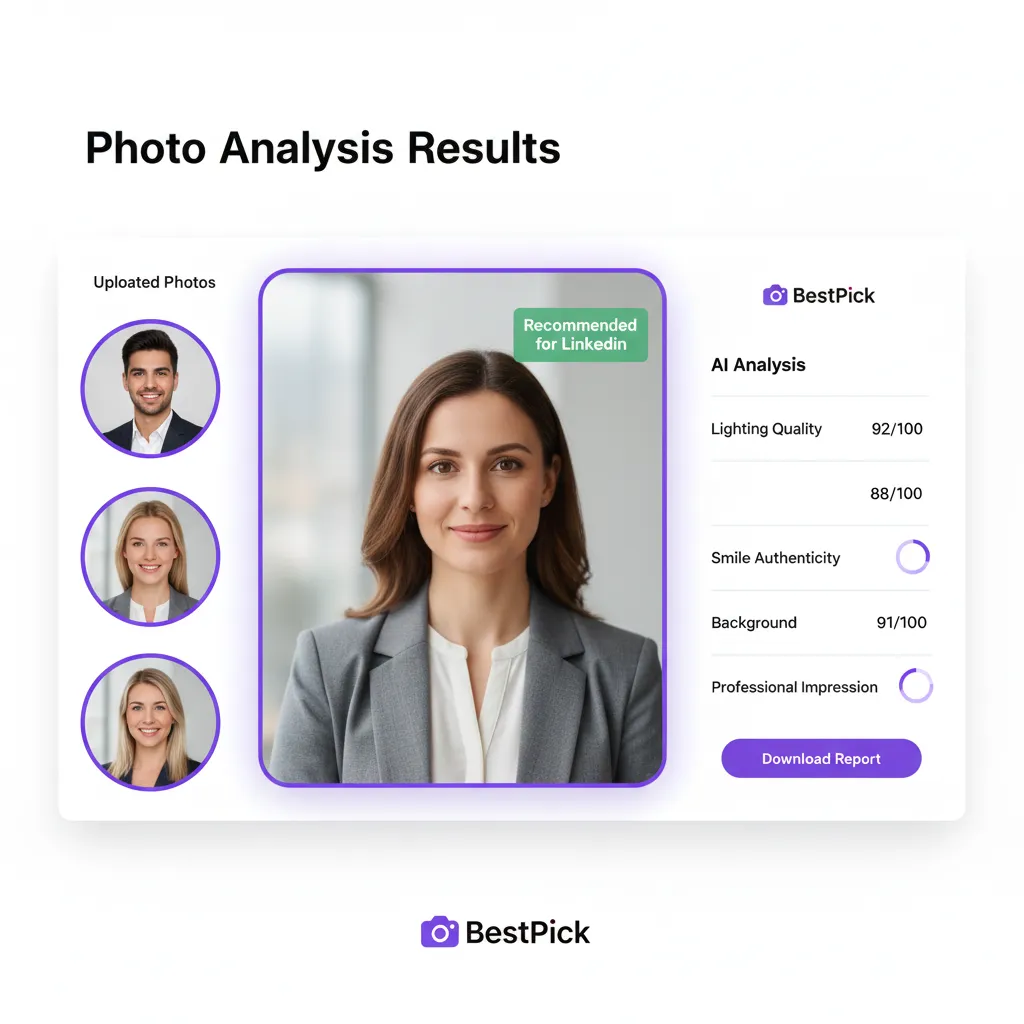
The better and free alternative: use BestPick's AI photo selector to analyze the professional photos you already have — from your phone, from events, from anywhere — and identify which one will perform best on LinkedIn. You are selecting your best real photo, not generating a synthetic one. Upload to BestPick, select "LinkedIn" as your goal, and receive an objective analysis of which photo will create the strongest professional impression.
The 5-Minute LinkedIn Photo Audit
Before updating anything, run this quick audit on your current LinkedIn photo:
Does your face fill at least 50% of the frame? If you are a small figure in a wide shot, your photo is not working in the circular thumbnail format LinkedIn uses.
Was it taken in the last 3 years? If not, the trust gap it creates on video calls and in-person meetings is hurting you.
Is the lighting even and flattering? Look for harsh shadows under your eyes or nose — signs of overhead or flash lighting.
Is your background clean and uncluttered? If there is anything visible that draws attention away from your face, it is competing for the recruiter's attention.
Are you in professional or professional-casual attire? Not a suit unless your industry expects one — but not a t-shirt either, unless you are in tech where that is the norm.
If you answered no to any of these, you have a clear action item. Upload your best current candidates to BestPick's LinkedIn photo analyzer to get an objective recommendation on which photo will perform best — before investing in a new photoshoot.
Frequently Asked Questions
Which of Your LinkedIn Photos Wins?
Upload your candidates and let BestPick's AI tell you which one will get the most profile views and recruiter messages — free, no account needed.
Analyze My LinkedIn Photo Free →